
MAGPlate and Pads
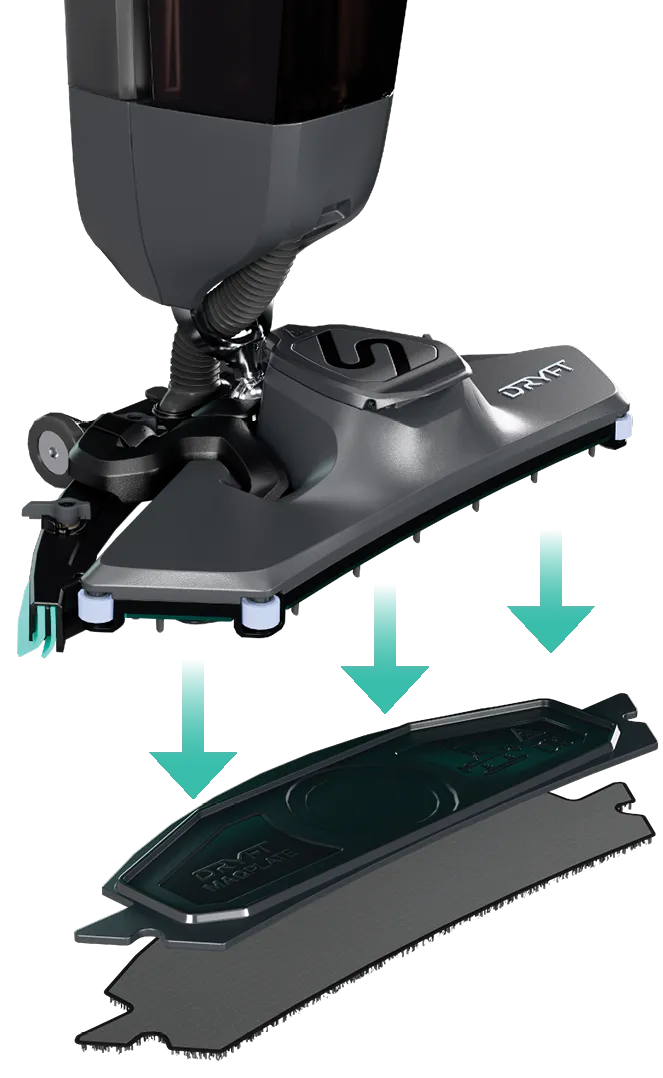
The DRYFT MAGPlate magnetic pad holder system has been designed to allow for quick and hygienic pad replacements between cleaning areas.
Whilst our magnets are not deemed ‘strong’, some precautions should be taken to reduce all risks.
Keep magnetic media such as computer disks, credit cards, mobile phones away from the magnets.
Watch our video on how to change your MAGPlate and pads.
 | WARNING: ALWAYS remove the CORE-ion battery from DRYFT before adding or removing the MAGPlate or cleaning pads. |
|---|---|
 | WARNING: DRYFT’s MAGPlate contains magnets. You should keep magnets and the MAGPlate 6 inches (15cm) away from implanted medical devices. |
| WARNING: Ensure fingers are kept clear of DRYFT’s oscillating mechanism. |
| CAUTION: Be cautious of the MAGPlate suddenly ‘snapping’ to the DRYFT head whilst installing. |
| WARNING: Using third party floor pads can cause the oscillating mechanism to become unbalanced causing excessive vibration and possible damage to the machine. Ensure only official DRYFT pads are used to avoid invalidating your warranty. |
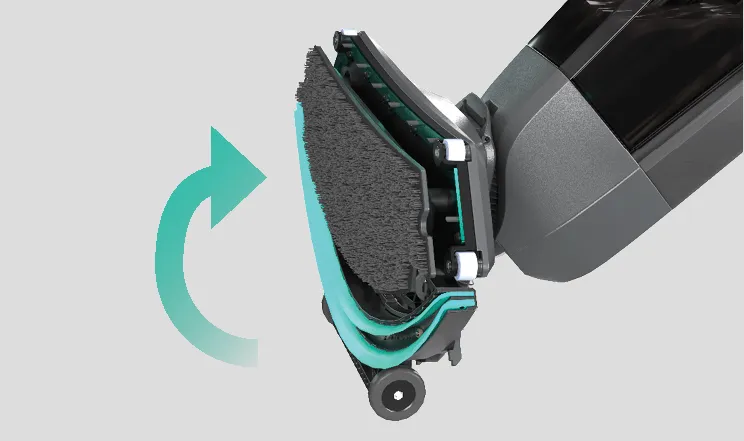
1 | Flip the head into the transport position.
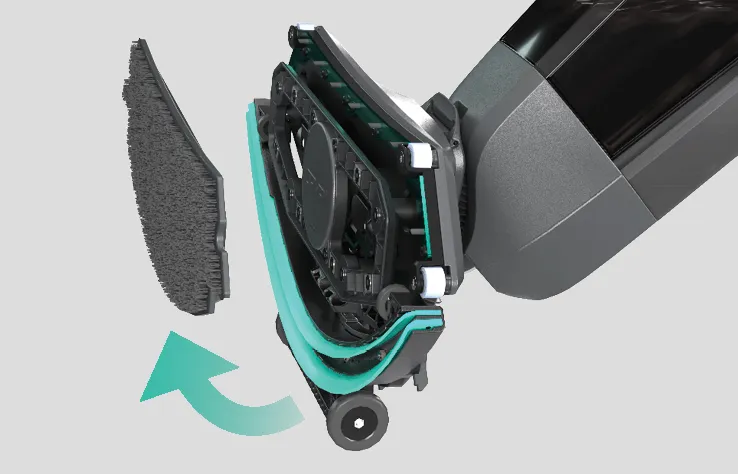
2 | Pull MAGPlate from the bottom.
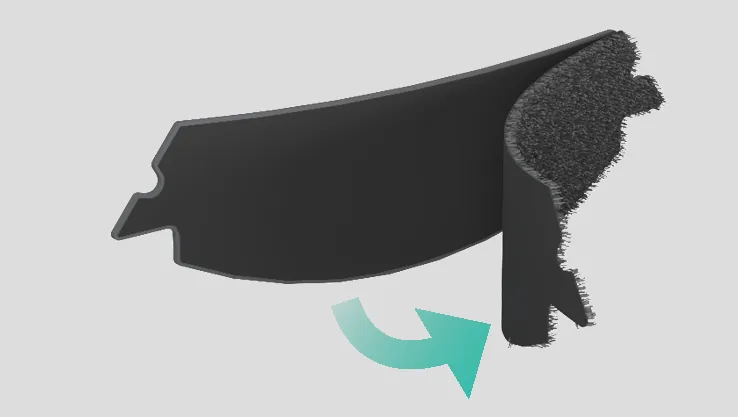
3 | Gently peel off the cleaning pad from the hook and loop finish.
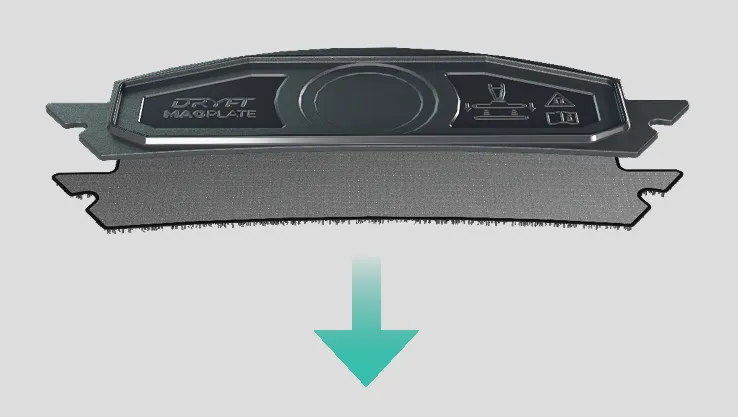
4 | Place cleaning pad onto the floor and align the MAGPlate so that it is perfectly central.
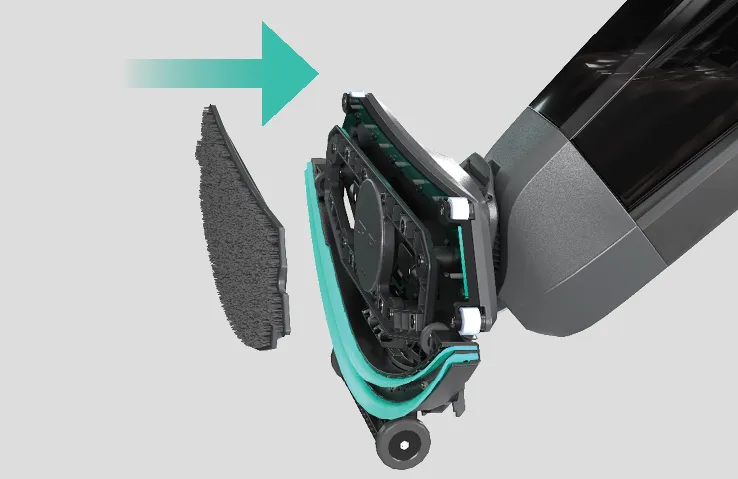
5 | Attach MAGPlate onto the base of DRYFT, ensuring fingers are kept clear. MAGPlate will magnetically lock into place.
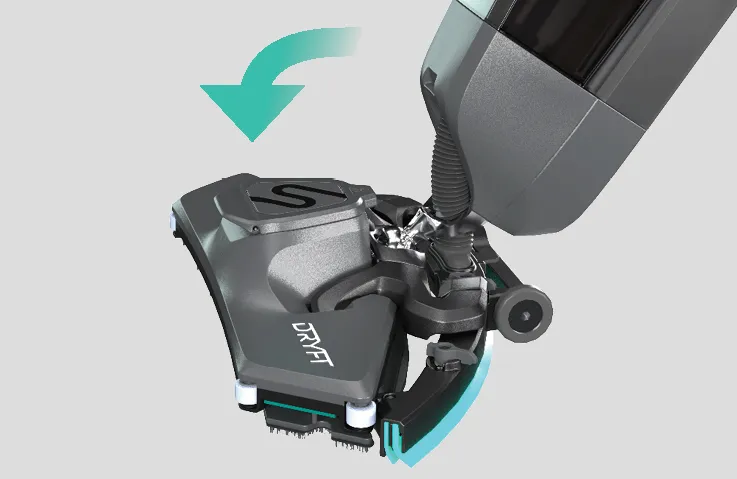
6 | Lower DRYFT head onto the floor into cleaning position.