
Contents
Battery Indication Lights
Main battery indication lights:
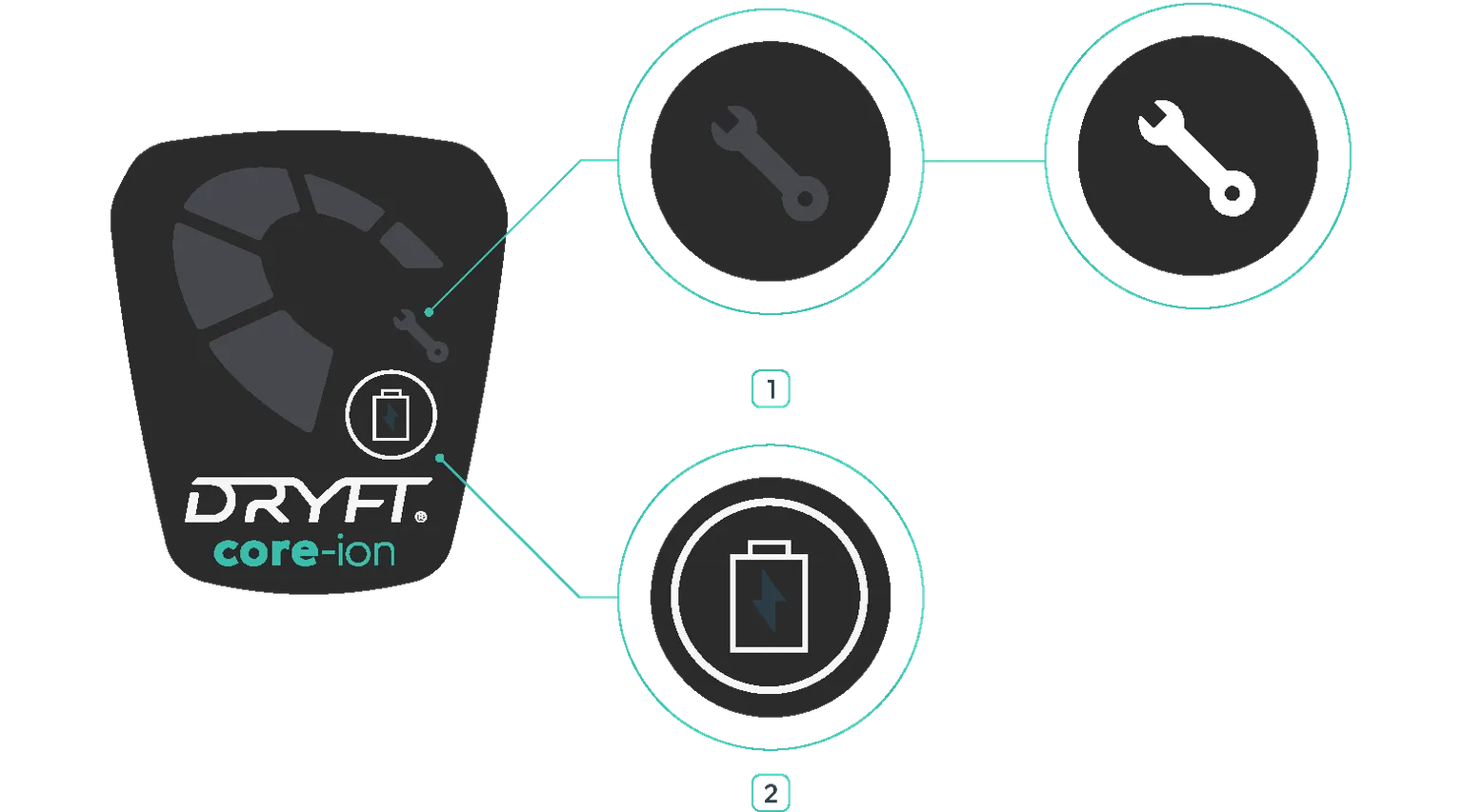
| 1 | | Battery fault indication light | | --- | --- | | 2 | | Battery level indicator button |
If there is a fault with your battery the ‘battery fault indication light’ may illuminate. This indicates that the battery has overheated, likely due to excessive use.
Set aside the battery until the warning light has turned off. To reduce risk of it overheating, allow battery to fully cool. If your battery is frequently overheating under a low load of voltage, then please contact our support team.
Battery Level Display
When using DRYFT, the CORE-ion battery level display will show in 20% increments. Likewise, when charging the CORE-ion battery, the battery level display will flash the current state of charge in 20% increments.
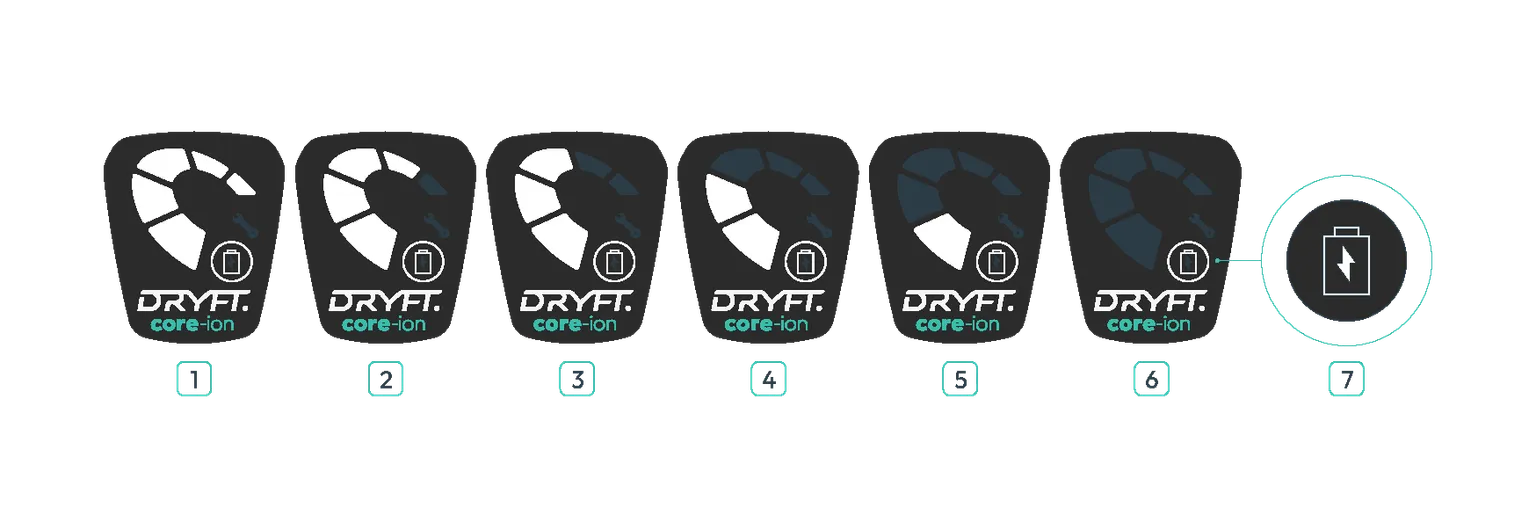
| 1 | 100% |
|---|---|
| 2 | 80% |
| 3 | 60% |
| 4 | 40% |
| 5 | 20% |
| 6 | 00% |
| 7 | Time to charge |
 | ATTENTION: The space used for charging the battery must be adequately ventilated. |
|---|
Last updated: 11/12/2025